

bet365 has an Android app, so you can play the casino from your phone without opening a browser. If you prefer not to install anything, the mobile site is also available. The app is for players who use their Android phone often and want the casino one tap away.
What you get on an Android phone
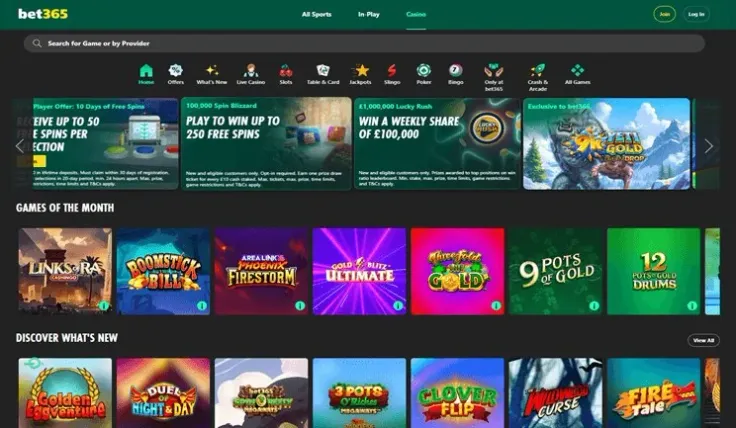
The app puts the casino on your home screen, so you open it the way you open any other app on your phone. The mobile site does the same job through your browser, and the mobile version page explains how that route works if you want to compare the two.
On a phone, the casino is the same casino you would use on a computer: the games, the account and the payment methods belong to bet365, not to the device. What changes is the screen. A phone has less room, so you see fewer things at once and scroll more. Slots suit a small screen well. Live games and table games with several panels can feel cramped, so a computer or a tablet may be easier if you want to see everything at once.
Because the casino is the same, the rules are the same too. bet365 requires identity verification, which applies whether you register on a phone or a computer. If you are new, the sign up page walks you through opening an account, and the login page covers coming back to it.
Installing the app safely

Install the app only from the source that bet365 points you to. The simplest route is to start from the casino itself with visit bet365, rather than from a search result, a forum or a message. Do not install an app from a file or link that arrives by message, in a forum or on a site you do not recognise. Copies of casino apps are a common way to steal logins and payment details, and a genuine app never asks you to switch off your phone's security settings.
After installing, check that the app has the bet365 name and that you are signing in on a screen that looks the same as the website you already know. If anything looks different, close the app and use the mobile site instead.
Before you deposit, read the terms of any offer. The welcome bonus page shows the conditions in full. T&Cs apply.
Practical points for your phone

Lock your phone with a passcode or a fingerprint, and do not let anyone else use it while you are signed in to the casino. If you share a device with family or friends, sign out when you finish, because anyone who opens the app after you can see your account.
A phone also changes how you pay. Quick payments make it easy to deposit more than you meant to, so set a deposit limit in your account before you play, not after. A time-out is useful too if you notice that sessions are running longer than you planned. Your phone's own settings can help as well: switching off notifications from the app stops it prompting you to come back.
Public wi-fi is a risk for anything involving an account. When you are out, use your mobile data or a network you trust, and avoid signing in on an open connection where others can watch traffic.