

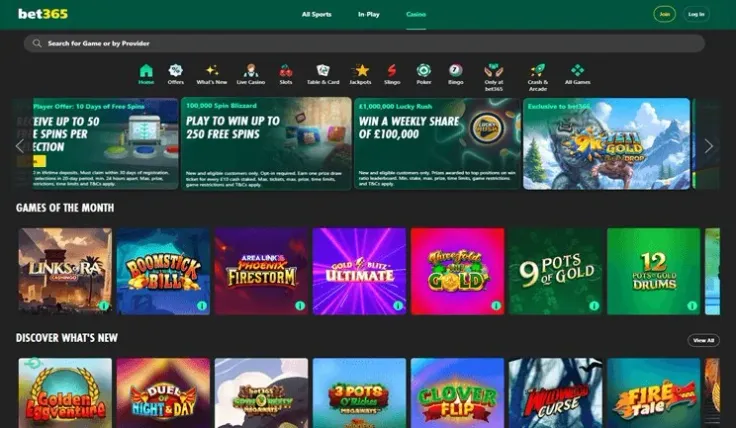
A bet365 login happens only on the bet365 website or in the bet365 app for iPhone and Android. This review site has no login form and never asks for your password. The steps above walk through the sign-in itself, and the table next to them shows where you can log in and how to reach support.
Before you start, have the email address or username you registered with and your password to hand. If you keep them in a password manager, open it first so you are not typing from memory. If you have not opened an account yet, start with how to sign up at bet365, then come back here.
It also helps to have your identity documents nearby, since bet365 requires account verification. The section below explains what stands behind the login and what the checks involve, and the one after it covers what to do when signing in does not work.
What happens when you sign in

Logging in matches the details you type against the account you created when you registered. You can sign in through the website on a desktop or mobile browser, or through the app on iPhone or Android. The browser route needs nothing installed and suits you if you play on a shared or work computer only now and then; the guide to the bet365 mobile site covers it on a phone. The apps suit you if you use one personal phone and want bet365 a tap away, but they are separate downloads you need to keep updated.
Every UK-licensed operator must verify your age and identity before you can deposit or play, and must offer deposit limits, time-outs and self-exclusion. bet365 requires account verification, so identity checks are part of having an account there.
Verification at bet365 uses Passport or driving licence and Bank statement or utility bill (proof of address). In practice that means a document for who you are and another for where you live. The first proves your name and date of birth; the second shows the address on your account. Our guide to verifying a bet365 account goes through each document in more detail.
Checks run on details, not on effort, so small mismatches are what slow them down. Make sure that:
- the name on your account is spelled exactly as on your passport or driving licence;
- the address on your account matches the bank statement or utility bill you send;
- your date of birth on the account is correct;
- any payment method you use is in your own name.
Fix a wrong detail before you send anything, not after. If you registered with a shortened first name or an old address, contact support and ask how to correct it, because a document that does not match the account is a likely reason for it to be sent back.
The quality of the image matters as much as the document. Use the whole page, with every corner visible, in good light and without glare. A cropped photo of a bank statement or a driving licence partly covered by your thumb looks careless to anyone checking it and may be refused. Keep the files on your device in a folder you can find, so you can send them again without starting from scratch.
18+ · T&Cs apply
When the bet365 login does not work

Most failed logins come down to the details typed, not to the account itself. Work through the likely causes in order before you contact anyone.
Wrong password or forgotten password. Check that caps lock is off and that your browser or phone has not filled in an old saved password. If you are still unsure, use the password reset option on the login screen, as in the steps above, and pick a new password you have not used anywhere else. Then update or delete the old entry in your browser or password manager so it does not fill in the wrong one next time.
Wrong username or email. The login takes the email or username you registered with. If one does not work, try the other, and check for a typo or an old email address you no longer use.
The app will not sign you in. Update the app to the latest version from the App Store or Google Play, then try again. If it still fails, log in through the website in your phone's browser. If the website works and the app does not, the problem is with the app on your device, and reinstalling it is a reasonable next step.
A verification document is sent back. Check what did not match or could not be read, fix it, and send a clearer copy or a different document from the accepted list: a passport or a driving licence for identity, a bank statement or a utility bill for your address. Do not edit or crop the image to make it fit.
A login you do not recognise. If you see activity you did not make, or you think someone else knows your password, change the password at once and contact bet365 support.
When none of this helps, stop retrying and contact bet365 support. You can reach it by live chat, email or phone, and support hours are 24/7 (live chat). Live chat lets you explain the problem step by step while you are still at the screen. Give your username or email address and say what you have already tried. Never share your password, even with someone who says they work for bet365.
Keep your account safe and in your control

Your password belongs only on the bet365 website and in the bet365 app. Type the website address yourself or use a bookmark you created, and install the app only from the App Store or Google Play. Treat any message with a login link as suspect, and open bet365 the usual way instead of clicking through.
A few habits keep the account yours:
- use a long password that you use for nothing else, stored in a password manager;
- keep the email account you registered with secure as well, with its own strong password;
- on a shared or work device, log out when you finish and do not let the browser save your password;
- never share your login with anyone, including family.
Control matters as much as security. Setting a deposit limit soon after your first login is a simple way to keep spending at a level you have chosen in advance, and you can add a time-out or self-exclusion if you need a break. Our safer gambling page explains these tools and where to get support.
Finally, keep your verification documents somewhere you can find them. If bet365 asks to see them again, you can send them in one go instead of searching for a statement while your account waits.