
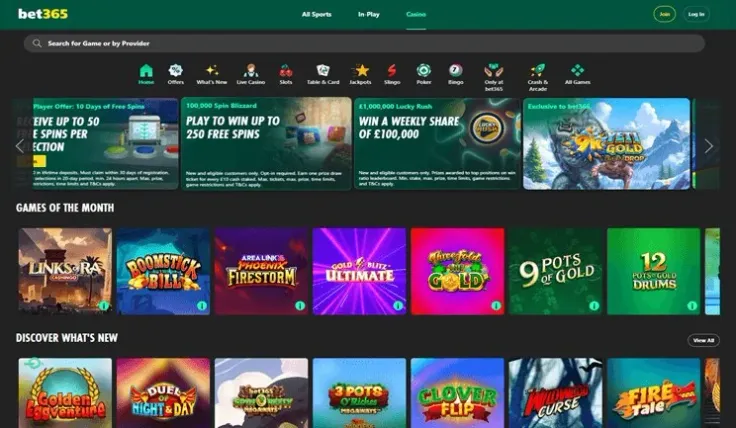
Making a bet365 deposit means logging in, opening the cashier and choosing a payment method, as the steps above show. Have your account details and the payment method you plan to use to hand before you start.
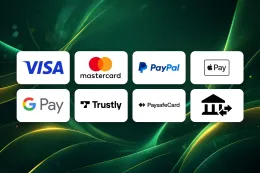
The table above shows which methods work for deposits and which also work for withdrawals. Take a minute to check that the method you want to use is on the list before you begin. If you are depositing to claim an offer, the welcome bonus page sets out its terms first, and T&Cs apply.
What stands behind the deposit steps

The steps look simple, but a few things sit behind them. bet365 accepts these methods for deposits: Debit Card (Visa/Mastercard), PayPal, Apple Pay, Google Pay, Paysafecard and Trustly / Bank Transfer. They are different in kind. A debit card draws on your bank account, a wallet such as PayPal, Apple Pay or Google Pay sits between you and your bank, and Paysafecard is a prepaid voucher. Trustly and bank transfer pay directly from your bank. Choose the one you are comfortable using, and check the table above to see which methods also work for withdrawals.
Credit cards are not accepted for gambling in Great Britain; if you want to pay by card, use a debit card.
Every UK-licensed operator must verify your age and identity before you can deposit or play, and bet365 requires identity checks. The documents usually asked for are: Passport or driving licence and Bank statement or utility bill (proof of address). If you have them ready as clear photos or scans, the process tends to go more smoothly. The terms and conditions are the place to check any further rules about payment methods before you pay.
The checks are one thing that can take time. Another is your own bank or payment provider, which may ask you to confirm a payment in an app or on a separate screen. Allow for that when you deposit, and do not repeat the payment while one is still being confirmed, because you could end up paying twice.
When you choose between methods, think about how you want to manage your spending. A debit card or bank payment shows up plainly on your bank statement, which makes it easy to see what you have put in. A wallet adds one more place to check. Paysafecard is a prepaid voucher, so what you can pay is limited by what you have bought, which some people find helpful. None of these is better in every case, and the right one is the one you will keep track of.
Finally, decide the amount before you open the cashier, not while you are there. The amount is entered on the cashier screen, and you should only enter a sum you have set aside for entertainment and can afford to lose.
18+ · T&Cs apply
When a deposit does not work

Most problems fall into a few groups. If the payment is declined, look at the basics first: the amount, the card details, the expiry date and whether the method is on the list in the table.
If a document is not accepted during the identity checks, follow the instructions you are given and see the verification guide, which explains what is asked for.
If you cannot log in to make the deposit, contact support, and never follow a link in a message to get back in. Our login guide covers getting back in.
If something still does not work, contact support. bet365 offers live chat, email and phone, and live chat is available 24/7 (live chat). Have your account details and a note of what you tried ready, and take screenshots of any error message. Do not make repeated attempts while you wait for an answer, because that can lead to duplicate payments.
A failed deposit is usually a small problem, and the first step is always to stop and look at what happened, not to try again quickly. Check your bank or wallet for a pending payment, because a payment can show as pending while it is still being confirmed.
If you are thinking of the money coming back out, read the withdrawal guide before you deposit, so you know what to expect from the other side.
Keeping control of your deposits

Enter your password only on bet365's own website or app, and never in response to an email, text or link that asks you for it. This site has no login or payment forms, so you will not be asked for card or account details here.
Set a deposit limit before you start, to cap what you can put in over a period you choose. A limit set when you feel calm is easier to keep than one you try to set in the middle of a session.
Keep your documents ready, use a payment method that belongs to you, and check your bank statement now and then so that the payments you see match the ones you made.
If you notice a payment on your statement that you do not recognise, contact your bank and bet365 support straight away. Live chat is available 24/7 (live chat), so you do not have to wait for office hours to raise it. Keep a note of the date and amount to make the conversation quicker.